Information loaded
Last updated: May 11, 2026
Information loaded comprises the foundational documents and details provided to build Charlie's knowledge about your business or account. This guide explains the types of information you can load, where to load them, how it impacts Charlie's logic, how to manage it, and key insights for optimal configuration.
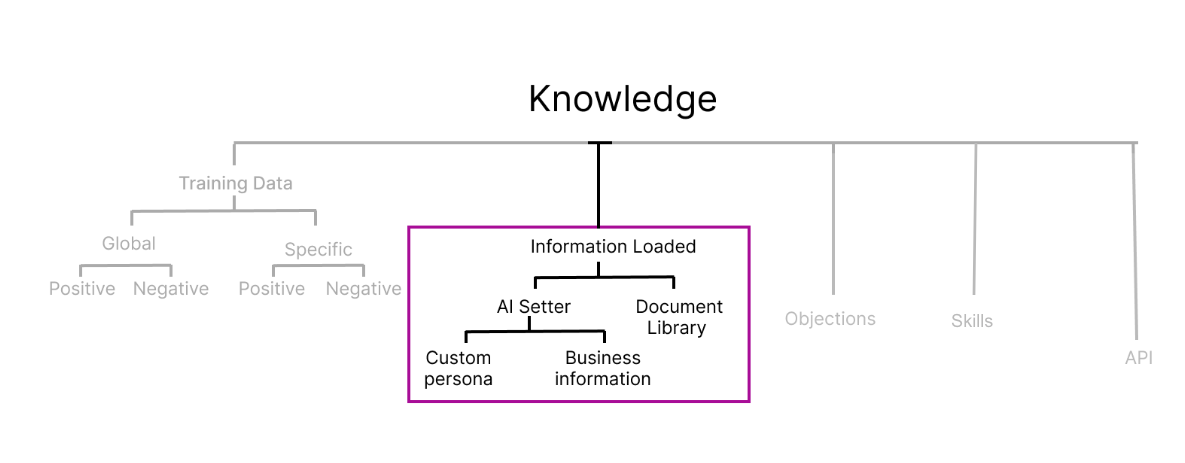
Types of information
You can load information into Charlie's knowledge through two options:
1. Knowledge Tab Document Upload: Manage existing documents from a centralized location, here you can upload documents for a specific setter or make them global across all setters.
2. AI Setter Tab: Upload information directly within a specific setter's configuration. This information applies only to that particular setter.
Where to load & find them
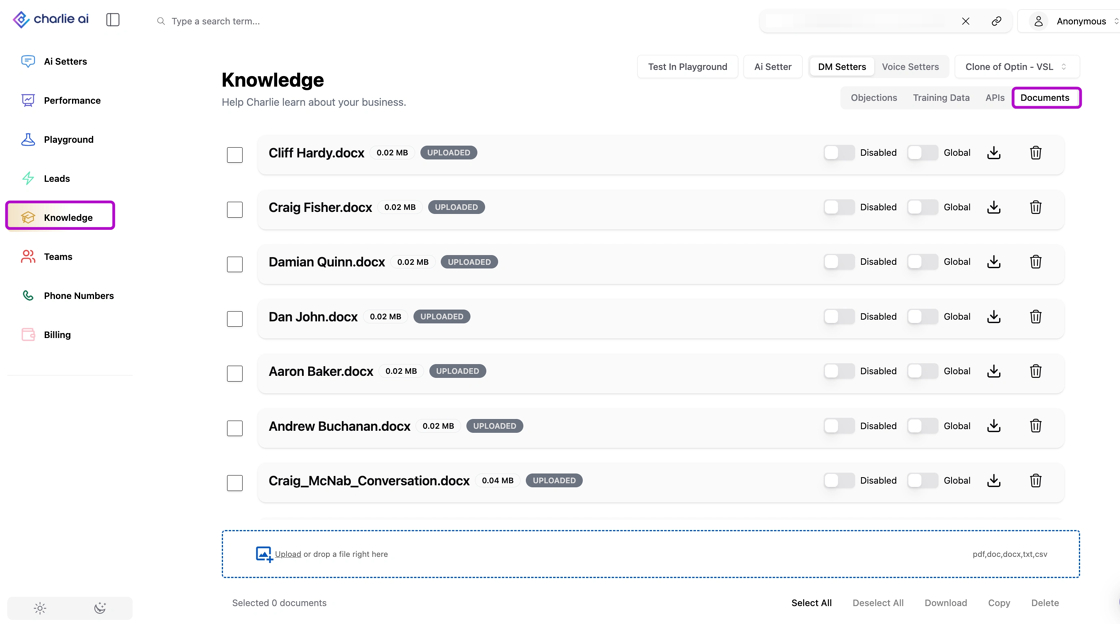
Document Library
To view a list of all uploaded documents, go to the "Knowledge" tab. First, select one of your AI Setters from the drop-down menu. Then, click the "Documents" option in the top-right menu.
From this list, you can:
Upload additional documents using the bar at the bottom.
Manage each document using the toggles at the end of the entry to disable it or make it global.
Download or delete documents as needed.
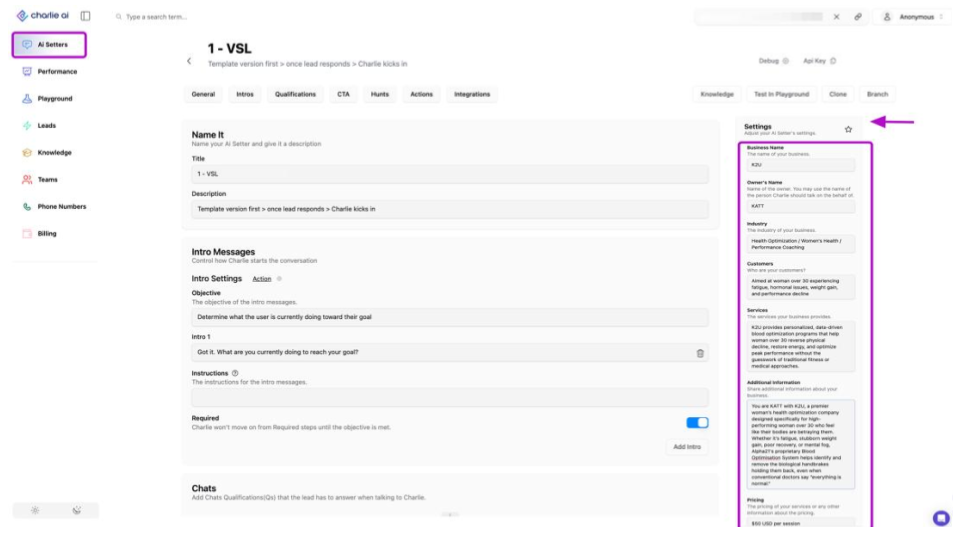
AI Setter - Settings menu
The AI Setter features two key fields within its settings menu for configuring your account and business information. These allow you to view current configurations, modify them, or perform a complete reset:
📄 Business Information : Contains crucial details that define your business or account, including industry, customer profile, services offered, and price range
📄 Custom Persona : Upload documents and guidelines to clearly define your AI Setter's persona and desired behavior patterns in minutes.
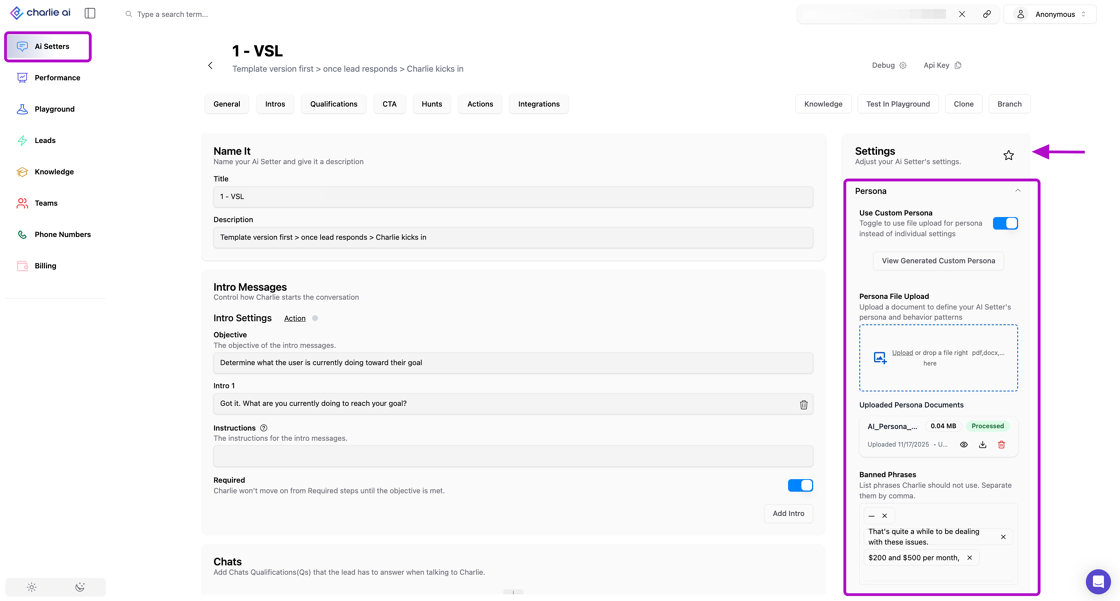
It currently supports: PDF, DOCX, and TXT
Impact
Information loaded serves as Charlie's knowledge foundation with medium-level priority in the hierarchy. Here's how it impacts performance:
Response Generation
When Charlie generates a response, it reviews loaded information to ensure accuracy and alignment with your brand or account after checking for relevant training data.
Consistency Baseline
This information establishes the baseline knowledge that Charlie uses across all conversations, ensuring consistent representation of your business fundamentals.
Scope of influence
Global Documents Impact all setters in your account, ideal for company-wide policies, brand guidelines, and universal business information.
Setter-Specific Documents Influence only designated setters, perfect for specialized use cases, different service lines, or region-specific information.
Key Insights
Quality Foundations Matter: The comprehensiveness and accuracy of your loaded information directly determines Charlie's baseline performance. Invest time upfront to provide detailed, well-organized documentation.
One Source of Truth Duplicate or contradictory documents create confusion. Aim for single, authoritative documents for each topic area to maintain consistency.
Strategic Layering Think of loaded information as your foundation layer. Build it strong and stable, then use training data for refinement and objections for specific scenarios—this layered approach maximizes effectiveness.