Credits explanation
Last updated: March 26, 2026
As many of the AI tools and platforms, Charlie works using credits for some functionalities and to autogenerate messages that will provide a natural conversation
In this quick guide we explain in high level the most important things for you to understand regarding the credit system.

Types
Complementary balance:
Complementary credits are part of the plan acquired, they are given to each account on the 1st week of every month, and the amount that will be received is based on the defined credit Reset Amount, which is mentioned in your plan.
Prepaid balance:
These are credits that can be bought at any time. They are additional and would cover some premium features or serve as a back up in case your setters completely consume their monthly credits. This will enable your un-interrupted operation, and access to incredible new features.
Credit Logic
For most of the functionalities, Charlie will first consume the complementary credits to perform the actions that requires them, and when complementary credits are finished then it will starts using prepaid ones.
For premium features, you will need to have Prepaid credits available to unlock their functionalities.
Below you'll find a list of the features that requires credits, and their cost for 2026
Premium features
Auto generated DM messages: 0.05 per message
Voice agents: total time per tokens used
Premium Features - Pre paid credits Only
Buyer IQ: 3,50 per report
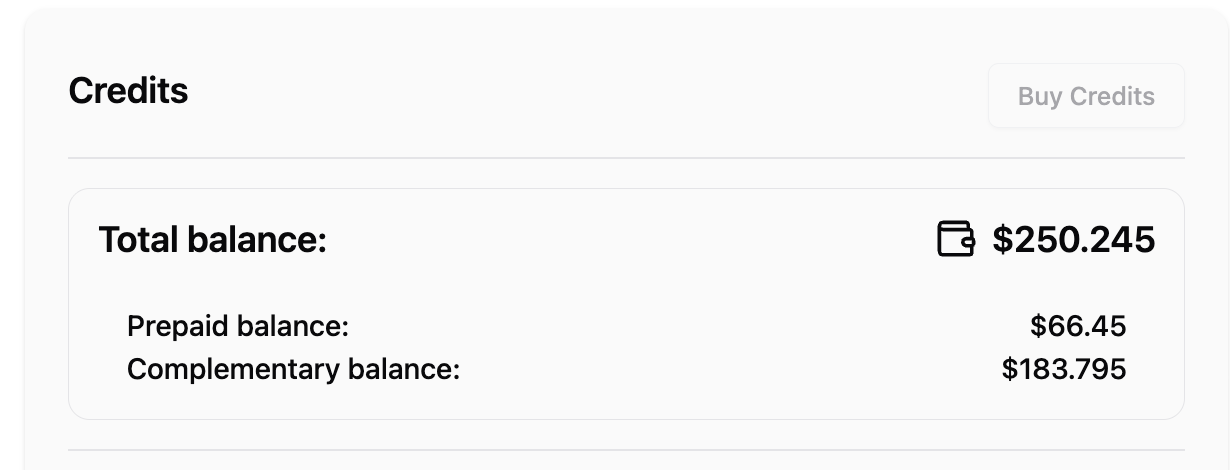
In your Billing page you'll be able to see the total balance that counts both of them, and specific balance for each type.
Recharge
Complementary balance get automatically recharged by the beginning of each month, but if you need additional credits or would like to aquire prepaid credits, you can:
Set the 📄 Auto recharge credits functionalities
Directly purchase them every time you need them:
Go to billing page
Select the payment method of your preference
When that information is completed, it will enable the "Buy credits" button
Click on the "Buy credits" button